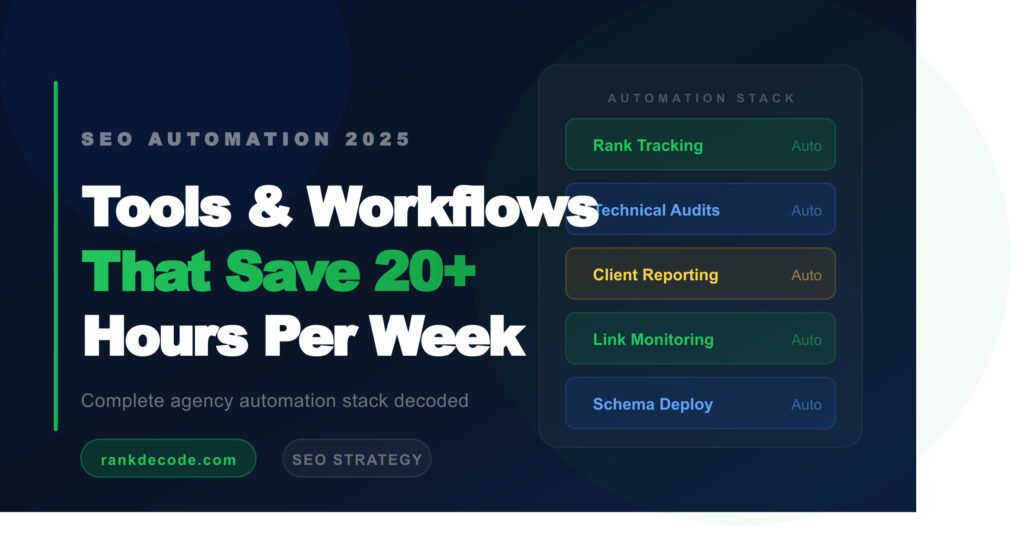
The SEO professionals winning in 2026 are not working harder — they are automating smarter. The right automation stack eliminates the repetitive, time-consuming tasks that eat hours every week, freeing you to focus on the high-judgement strategy work that actually moves rankings.
This guide covers the exact automation workflows we use at RankDecode, the tools that power them, and how you can implement them whether you are a solo consultant or a growing agency.
Why SEO Automation Has Become Non-Negotiable
The volume of SEO tasks has multiplied while complexity has increased. A typical client engagement now involves weekly rank tracking across hundreds of keywords, daily technical monitoring for crawl errors and Core Web Vitals regressions, monthly backlink audits, ongoing content gap analysis, regular client reporting, and schema markup deployment across dozens of pages.
Attempting to do all of this manually is not scalable. Automation handles the repetitive layer so you can spend your time on the interpretive layer — the decisions that require actual SEO expertise.
The 6 SEO Workflow Categories to Automate
1. Rank Tracking and SERP Monitoring
What to automate: Daily keyword rank checks, SERP feature monitoring (featured snippets, PAA boxes, local packs), competitor rank changes, and ranking trend alerts.
Tools: Ahrefs, Semrush, or AccuRanker for tracking. Set up automated email alerts when target keywords drop more than 3 positions. Use Google Search Console API to pull impression and click data into a Google Sheets dashboard automatically.
Time saved: 3 to 5 hours per week per client.
2. Technical SEO Monitoring
What to automate: Crawl error detection, Core Web Vitals monitoring, page speed regression alerts, broken link detection, new 404 pages, canonical tag changes, and index status monitoring.
Tools: Google Search Console alerts for critical index issues. Screaming Frog with scheduled crawls for weekly technical audits. Ahrefs Site Audit on a 7-day crawl schedule. Uptime Robot for availability monitoring.
Workflow: Schedule a full site crawl every Monday at 6am. If new crawl errors exceed 5, trigger a Slack or email alert immediately. Review the report Tuesday morning rather than running manual crawls throughout the week.
Time saved: 4 to 6 hours per week.
3. Content Gap Analysis and Keyword Research
What to automate: Competitor content tracking, new keyword opportunity discovery, content freshness audits, and internal linking gap identification.
Tools: Ahrefs Content Gap tool on a monthly schedule. Google Alerts for competitor brand mentions and new content. Use Zapier to push new keyword opportunities from your rank tracker into a project management tool like Notion or Asana automatically.
Time saved: 2 to 4 hours per week.
4. Reporting and Client Dashboards
What to automate: Monthly SEO reports, traffic and conversion summaries, rank movement overviews, and goal tracking.
Tools: Looker Studio (free) connected to Google Analytics 4, Google Search Console, and your rank tracking tool via data connectors. Build the dashboard once, share the live link with clients, and it updates automatically every day. For PDF reports, AgencyAnalytics automates branded PDF generation on a monthly schedule.
Workflow: On the 1st of each month, a scheduled report emails automatically to every client. Zero manual report building.
Time saved: 6 to 10 hours per month per client.
5. Link Building and Outreach
What to automate: Prospect research, email sequence follow-ups, backlink monitoring, and lost link alerts.
Tools: Hunter.io for email finding. Pitchbox or Mailshake for automated outreach sequences with timed follow-ups. Ahrefs alerts for lost backlinks — sends notification within 24 hours of a referring domain going down.
Important: Automate the process, not the personalisation. The initial outreach email should always be human-written and personalised. Automate the follow-up sequence only.
Time saved: 5 to 8 hours per week.
6. Schema Markup Deployment
What to automate: Dynamic schema generation for product pages, blog posts, local business information, and FAQ sections.
Tools: For WordPress, RankMath Pro automatically generates Article, FAQ, and LocalBusiness schema based on page templates — zero manual markup needed. For ecommerce on Shopify, schema apps like Schema Plus auto-generate Product and Offer schema from your product catalogue.
Time saved: 3 to 6 hours per client setup, then ongoing maintenance-free.
The Full Automation Stack by Budget
Bootstrap — Under $100 per month
- Google Search Console — free rank and technical data
- Google Analytics 4 — free traffic and conversion tracking
- Looker Studio — free automated reporting dashboards
- Google Alerts — free competitor and brand monitoring
- Screaming Frog free version — crawl up to 500 URLs
- RankMath free — automated schema on WordPress
Professional — $100 to $400 per month
- Ahrefs Lite ($99) — full rank tracking, backlink monitoring, site audit
- Screaming Frog licence ($259 per year) — unlimited crawls and scheduled automation
- Zapier Starter ($29) — connect tools and automate cross-platform workflows
Agency — $400 to $1,000 per month
- Ahrefs Standard or Advanced — multi-client management at scale
- AgencyAnalytics ($12 per client per month) — automated white-label reporting
- Pitchbox ($195) — automated link building outreach sequences
- Semrush Guru ($249) — content and competitive intelligence automation
3 Automation Rules to Never Break
1. Never automate quality judgement. Automation handles data collection, reporting, and alerts. A human makes the strategic decisions about what the data means and what to do about it.
2. Review automated outputs weekly. Automated systems produce errors. A rank tracker can misreport due to localisation. A crawl tool can flag false positives. Build a weekly 30-minute review of all automated outputs into your workflow.
3. Test before you scale. Before automating any workflow across all clients, run it manually for one client for a full month. Confirm the output is accurate and the alerts are meaningful before scaling to your entire book of business.
The Bottom Line
SEO automation is not about replacing SEO expertise — it is about directing that expertise toward higher-value work. The 20+ hours per week you save on manual data collection, reporting, and monitoring should be reinvested into strategy, client communication, and creative content work that automation cannot replicate.
Start with the free tools, validate the workflows, then invest in paid automation as your results and client base grow. If you want a decoded breakdown of which automation tools are right for your specific situation, reach out to our team — we run these workflows for our clients every day.